
New · Included at no additional cost
Meet Revere, our easiest BrightArrow yet
Revere is our most user-friendly BrightArrow interface, and it’s included with your BrightArrow subscription at no additional cost. Every page has been improved to make everyday tasks faster and simpler.
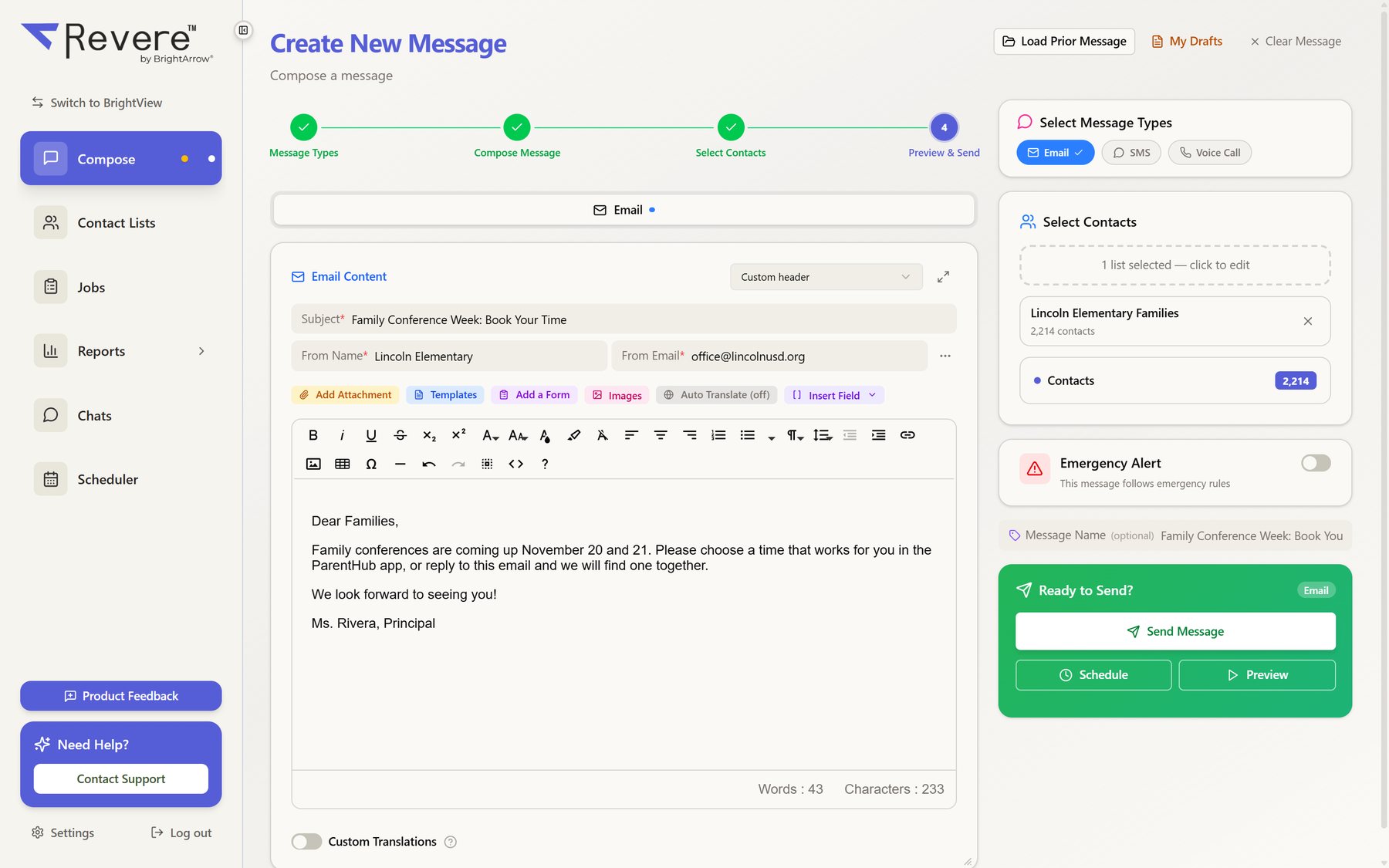
Composing an email in Revere: choose your channels, write your message, pick your lists and send.
Quick answer
Revere is BrightArrow’s newest interface, included with every BrightArrow subscription at no additional cost. It brings streamlined lists, straightforward messaging, report emailing with a preview, easy-to-filter reports, a Jobs page and a look you can personalize. Open it with the Open Revere button on your dashboard; your work carries over, and you can switch back to BrightView anytime.
What every BrightArrow customer gets with Revere
Every page has been rebuilt to make everyday tasks faster and simpler, whichever BrightArrow plan you have.
Streamlined list and contact management
Folders, favorites and one search box for every list. Find any contact across all of your lists in seconds.
Straightforward messaging options
Choose your channels, write your message, pick your lists and send, with clear steps and a live preview along the way.
Report emailing with a preview before you send
See exactly which report each family will receive before anything goes out.
Easy-to-filter message summary reports
Filter by date, channel and sender to find the message you need and see who received it.
A Jobs page for managing scheduled and automated messages
Everything that is scheduled, sending or set to run automatically, in one place you can review and change.
A refreshed look you can personalize
A clean, modern design with color themes and light or dark mode.
Lists that stay organized
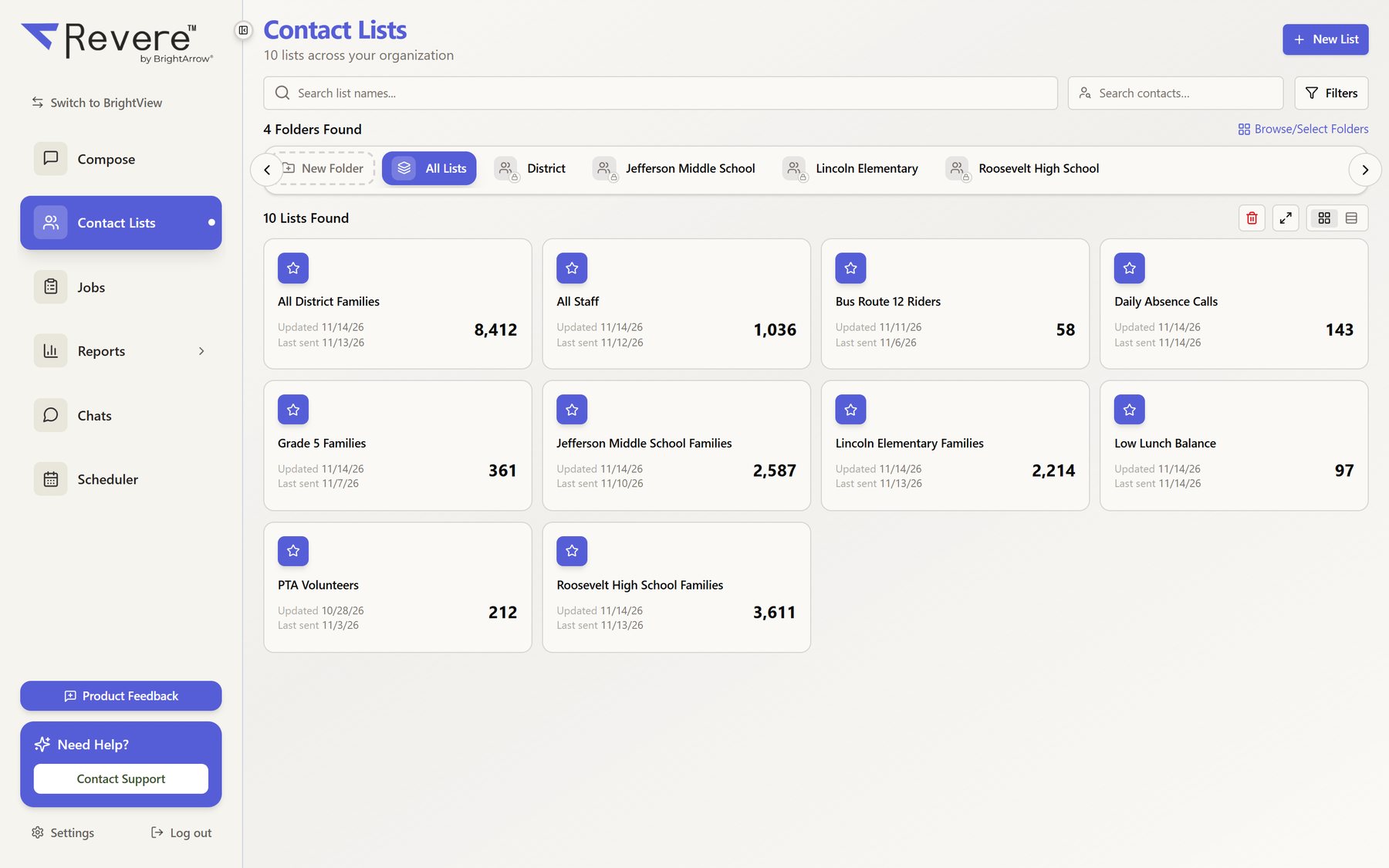
Every list in one view, with the details you check most right on the card.
- Folders for each school, department or team
- Search list names and contacts from the same screen
- Contact counts, last update and last send at a glance
- Favorites keep the lists you use most at the top
Also included for full-subscription customers
BrightArrow Complete customers get these in Revere too. Compare plans.
Two-way BrightChats
Easier member management and text formatting for private and group conversations with families.
Scheduler improvements
Booking conferences and meetings is a breeze for staff and families.
Expanded Forms and Surveys results
Review, filter and export form and survey responses without leaving Revere.
Built-in Newsletter Designer
Drag-and-drop newsletters that look right on every phone and computer.
Ready to try it?
Revere is included with your BrightArrow subscription at no additional cost.
- 1
Open Revere
Click the Open Revere button on your BrightArrow dashboard or in the message creator.
- 2
Pick up where you left off
Your lists, messages, drafts and reports carry over. There is nothing to set up again.
- 3
Switch back anytime
You can return to the previous interface (BrightView) whenever you like.
- 4
Bring your whole team
If you’d like help moving all of your users to Revere, just let us know.
Free monthly training
We know it can be hard to find time to explore a new interface, so we’d love to help. Join a monthly training session to learn more about BrightArrow and explore Revere.
Frequently asked questions
What is Revere?
Does Revere cost extra?
How do I open Revere?
Will my lists and messages carry over?
Can I switch back to BrightView?
Which Revere features need the full subscription?
Can BrightArrow help move all of our users to Revere?
See Revere for yourself
Already a customer? Click Open Revere on your dashboard. New to BrightArrow? We’ll show you around.
See every feature area by plan on the plans & features page, or the school communication platform overview.
